Built for UK construction · England, Wales, Scotland & NI
Built for construction.
Engineered for precision.
Snag from a photo, check the regulations, price a job and write your RAMS. Site Genie does it from your phone, on site, in plain English.
- No card needed
- Works from your home screen
- Cancel any time
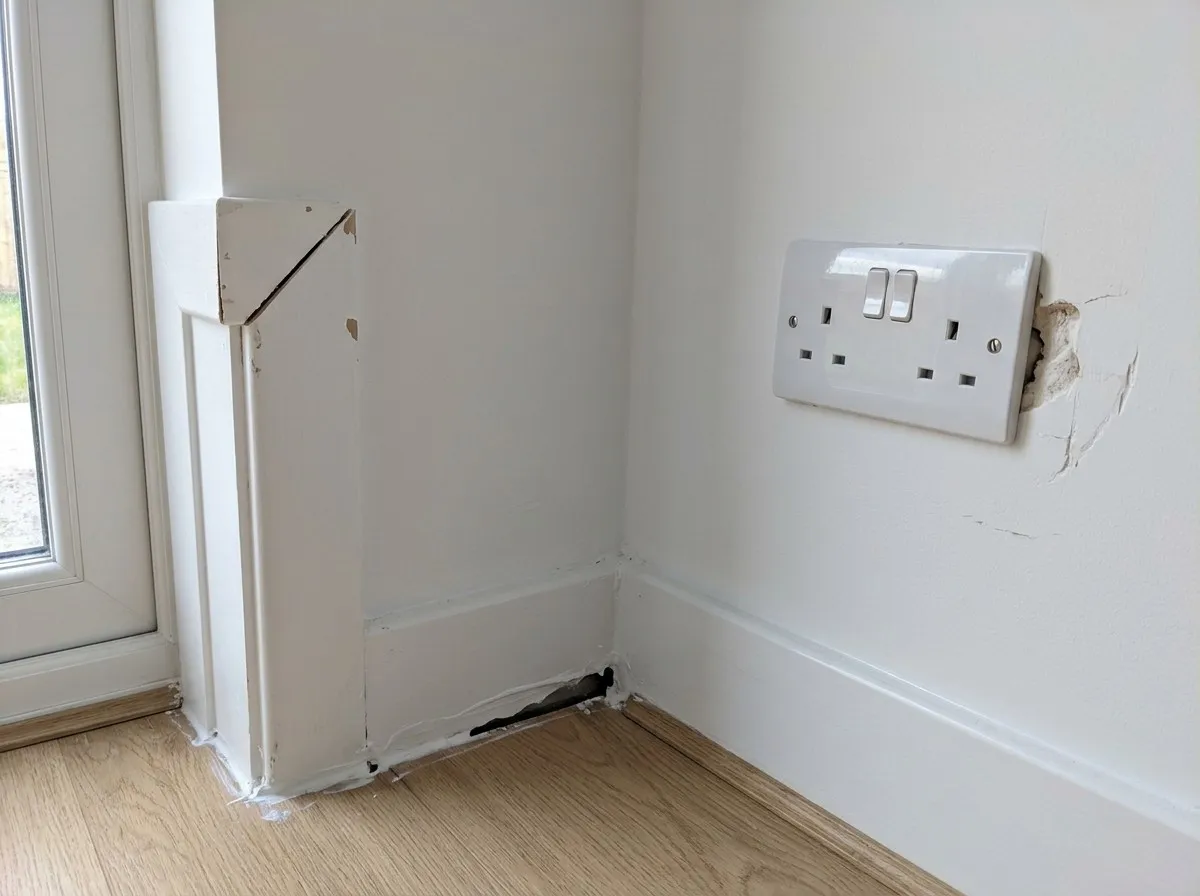
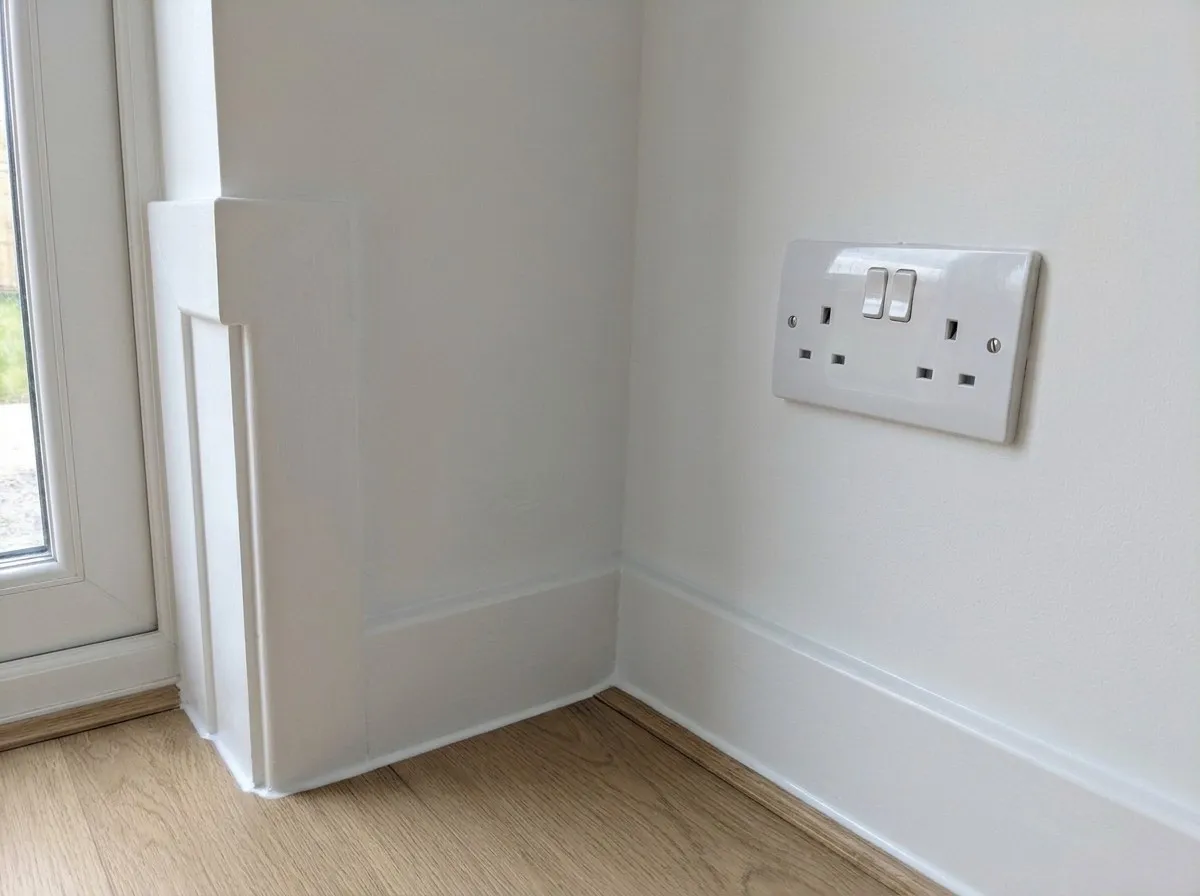
Drag across to see the re-check. Example snags on a new-build plot.
Answers from the official documents
- Approved Documents · England
- Approved Documents · Wales
- Technical Handbooks · Scotland
- Technical Booklets · Northern Ireland
- HSE guidance
- Construction Act & the Scheme
Meet Site Genie
See how it works on site in 27 seconds
Whether you're snagging a plot from a photo, checking Building Regulations across all four UK nations, pricing up work or putting together RAMS, Site Genie gives you clear answers on your phone while you're still on site.
- Cites official UK regulations by document, table and page
- Boxes snags on your photos and shares them with your team by link
- 200 free credits when you sign up, with no card needed
How Site Genie works
You talk in one chat. Site Genie fills out the paperwork.
There are no complicated forms or spreadsheets to set up. Everything starts from a quick message or photo on your phone and saves automatically to the right register.
Snap or ask in plain English
Open Site Genie on your phone. Take a photo of the work, upload a drawing, or type what you need in one chat.
Site Genie does the legwork
Defects are boxed on your photo, UK Building Regulations are checked by page, and sums are worked out by fixed calculators.
Filed into your registers & PDFs
You don't fill out forms by hand. Snags, RAMS, quotes, contracts, payslips and PDFs save straight to your menu and Documents tab.
One chat runs your whole site
Watch how a chat message turns into finished site records
📸 Photo attached · Plot 14 Kitchen
Snag this room and split it by trade.
Site Genie
Boxed 3 defects: SN-0014 (Joinery), SN-0015 (Mastic), SN-0016 (Plastering). Added to Plot 14 register.
✓ Auto-saved to Snag registerWithout Site Genie
Camera roll chaos on site, paperwork at 9pm
50 unlabelled photos on your phone, measurements on scraps of timber, chasing trades who won't download an app, and typing up RAMS, quotes and CIS deductions at the kitchen table.
With Site Genie
Sorted on the plot in 30 seconds
Snap the photo or ask in plain English while you're standing there. Your Snag register, subbie links, cited UK regulations, RAMS, quotes and CIS statements are already saved in your Documents tab before you leave site.
Six site jobs, one chat
Built for the site, not the office
One assistant for the jobs that eat your evenings. Ask in plain English, by typing or with a photo, while you're still standing on the plot.
Snag from a photo, then check the fix
Take a photo and get each defect boxed, numbered and given to a trade. When it's done, snap it again and Site Genie compares the new photo with the original.
- Snag register by plot, room and trade
- Send each team member their list with one link
- Snag reports as a PDF
How snagging works
Your team don't need an account to fix their snags
Getting your team to install another app never works. So they don't have to.
- 1
Snap the room on your phone
Each defect is boxed, numbered and logged against the plot, room and trade.
- 2
Send each team member one link
By WhatsApp, text or email. It opens their own snag list in the browser, with photos, with nothing to sign up for.
- 3
Re-check before you close it
When they tell you it's done, take another photo. Site Genie compares it with the original.

Snag list for Dave · Plastering
2 outstanding snags

Built to be checked
Answers you can check for yourself
A wrong answer on site costs real money. Site Genie is built so you can see where every answer came from.
01
Every source named
Regulation answers name the document and section they come from, and say so when the rules don't cover your case.
02
Sums by calculator
Areas, quantities, CIS and payment dates are worked out by fixed calculations, not guessed.
03
You stay in charge
It asks before doing anything that matters, and RAMS aren't final until you approve them.
04
Private to you
Your snags, drawings and documents are stored in London, private to your account, and never sold.
All four nations
The right rules for where you're building
The regulations differ across the UK. Tell Site Genie where the job is and it answers from that nation's own documents.
England
Approved Documents
Wales
Approved Documents
Scotland
Technical Handbooks
Northern Ireland
Technical Booklets
Pricing
Pay for what you use
Start free, and only pick a plan once it's earning its keep. No VAT to add: the price is what you pay.
Free
£0
once, when you sign up
- 200 credits to try everything
- Every feature included
- No card needed
Pro
£20£45
first month, then £45 a month
- 2,000 credits in your first month
- 5,000 credits a month after that
- Unused credits roll over
- Extra credit packs, with bonus credits
Pro Max
£90
a month
- 12,000 credits every month
- More than twice the monthly credits of Pro
- Unused credits roll over
- Extra credit packs, with bonus credits
Extra credit packs for subscribers never expire. Bigger team? Talk to us.
Can I rely on the answers?
Regulation answers come from the official documents and tell you the document, table and page, so you can check them. Sums such as areas, CIS and payment dates come from fixed calculators, not the AI. AI can still be wrong, so check anything important. Site Genie doesn't replace a competent person, building control or legal advice.
Do I need to install anything?
No. It works in your phone's browser. Add it to your home screen and it opens like an app, full screen, with its own icon.
Does my team need an account?
No. Add a team member in Site Genie, assign them snags, and send them a private link. It opens their outstanding snags in the browser, with photos, locations and due dates, and stops working after 60 days. Only you need an account.
Where is my data kept?
Your account and files are stored in London and are private to your account. We don't sell your data or use it for advertising. The privacy policy lists every provider we use.
How do credits work?
Each request uses some credits, depending on how much work it is: a quick question uses far fewer than reading a long drawing. Unused plan credits roll over while your account is open. Pro and Pro Max subscribers can buy extra credit packs, with bonus credits on the bigger ones, and those never expire.
Can I cancel?
Yes, at any time from the billing page. Your plan runs to the end of the month you've paid for, then you go back to Free and keep any credits you have left.

Construction intelligence, in your pocket
Try it on your next snag. 200 free credits, no card, and nothing to install.
Start free